
1. Home
  2. Knowledge Base
  3. Accessibility & Inclusive Design
  4. ALLY in CI Learn
  5. Accessing Alternative Formats in CILearn for Students
  1. Home
  2. Knowledge Base
  3. Supporting Students
  4. Accessing Alternative Formats in CILearn for Students

Accessing Alternative Formats in CILearn for Students

Within your CI Learn courses, you are able to access alternative formats of course files. The type of alternatives available will depend on the file type. For example, a PowerPoint will have options for a tagged PDF, HTML, ePub, electronic braille, and audio formats.

To access the alternate formats for a specific item, click the downward arrow next to the name and select ‘Alternative formats’ or select “Alternative formats” to open the download window. 

Screenshot of the Alternative Formats dropdown menu

A ‘Download alternative formats’ window will then open and display the available options to choose from. 
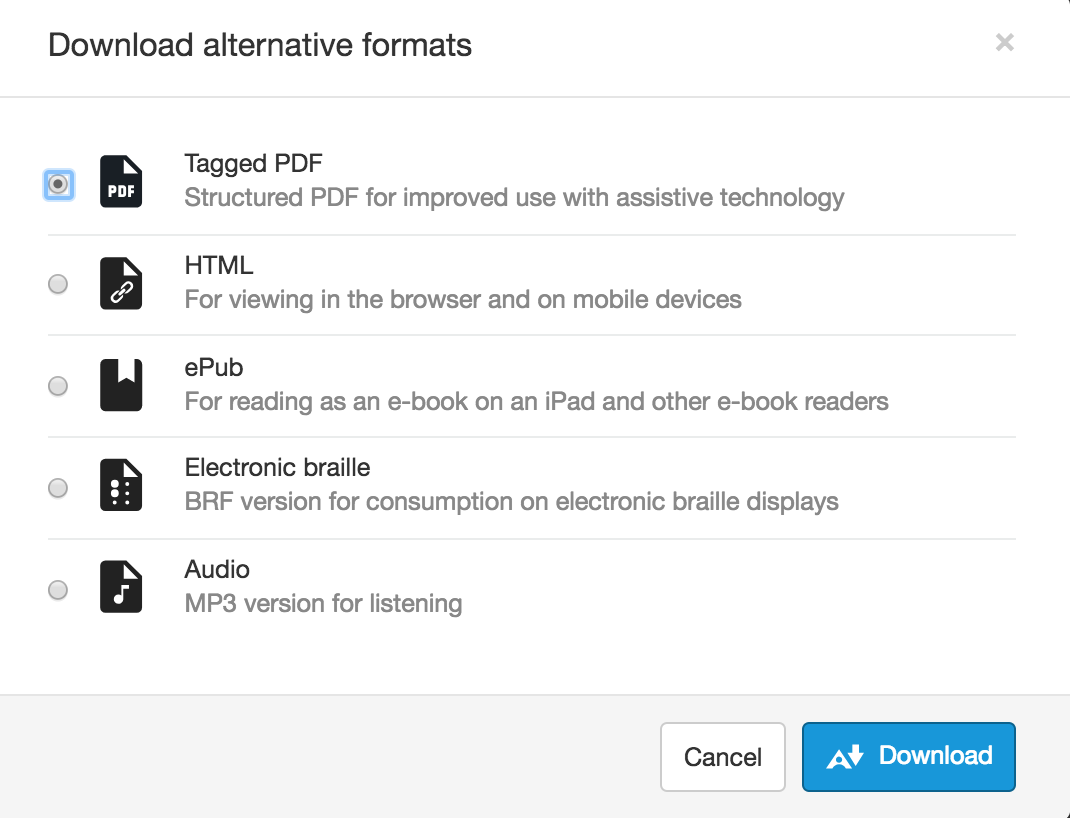
Example of the different alternative format options available

Once you make your selection, click ‘Download’. Remember, larger files may take longer to download. 

Updated on November 24, 2021

Was this article helpful?

Related Articles

Need Support?
Can’t find the answer you’re looking for? Don’t worry we’re here to help!
Submit a Help Request

Leave a Comment

This site uses Akismet to reduce spam. Learn how your comment data is processed.

css.php