
Overview
All course offerings at CSUCI are vetted and approved through a course proposal and review process with the faculty senate. Certain information in a course syllabus (e.g. pre-requisites, student learning outcomes, course description, etc.) must be consistent with the approved information in the course proposal. Course proposals and outlines are housed in Curriculog, where you can verify that the information you have in your syllabus is consistent and correct.
How to locate a course in Curriculog
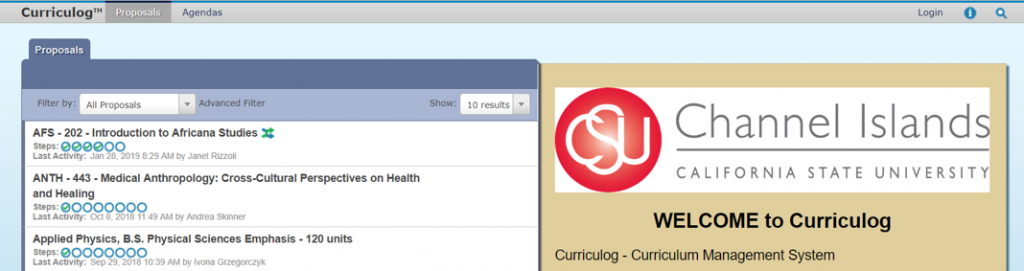
- Go to CSUCI’s Curriculog page.
- Click Login in the upper-left corner of the page. You will be prompted to log in with your Dolphin ID and password.
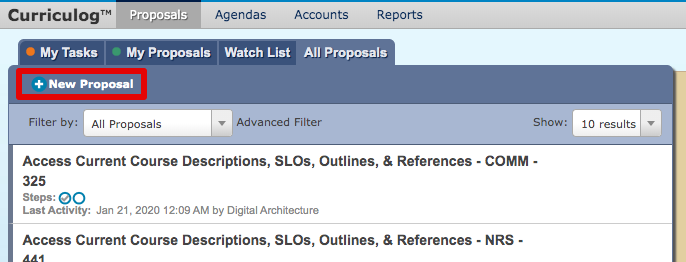
- Click + New Proposal
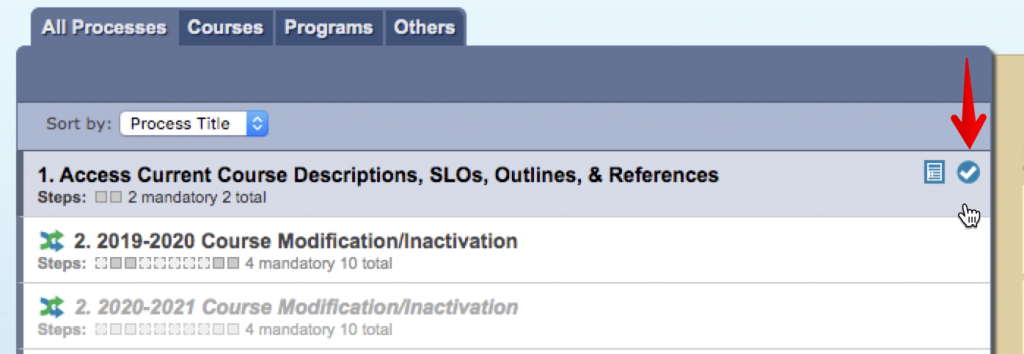
- Hover your mouse over “Access Current Course Descriptions, SLOs, Outlines, & References,” and you will see two icons. Click the Start Proposal icon (the white check mark in a blue circle).
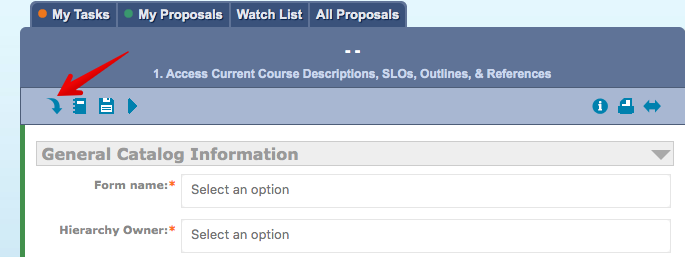
- Click in the Import icon.
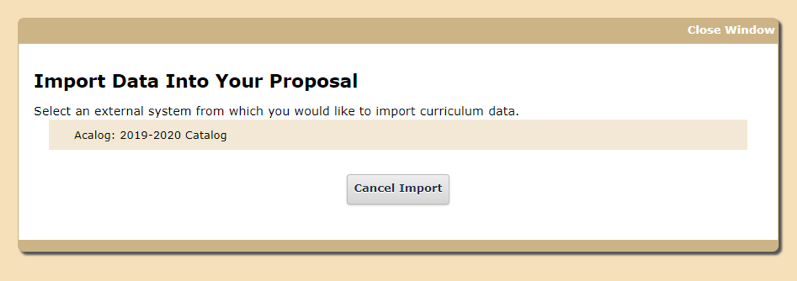
- Click Acalog: 2019-2020 Catalog.
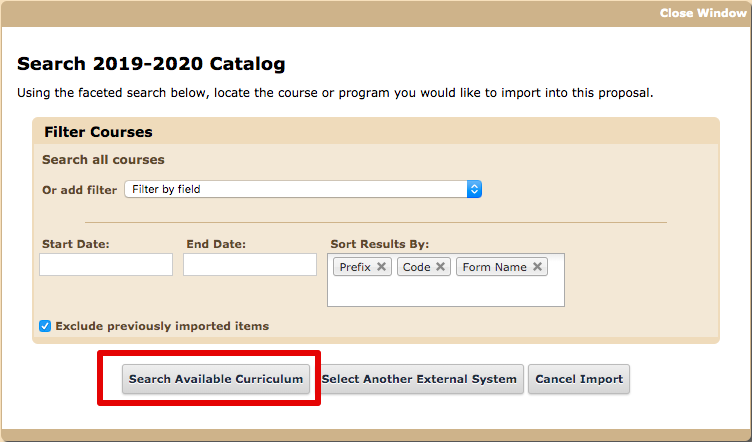
- Click Search Available Curriculum button.
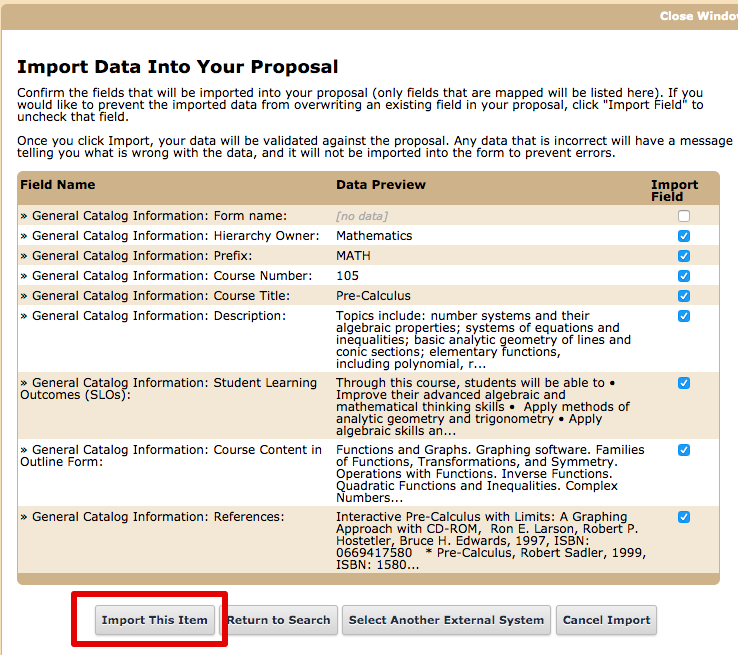
- Click on the course for which you would like to view Student Learning Outcomes and Course Content Outline. Note: You can use the “Filter Courses” fields to filter by department, but be sure to select “Prefix” to locate your department.
- Once you locate your desired course, click the Import This Item button.
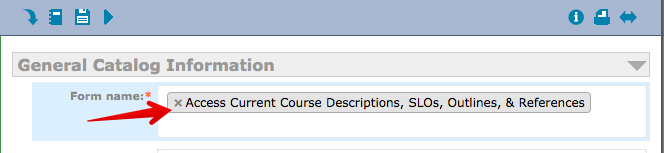
- Populate the Form Name by clicking on that empty text field and then selecting Access Current Course Descriptions, SLOs, Outlines, & References.
- Click the Launch icon (looks like a ‘play’ button)
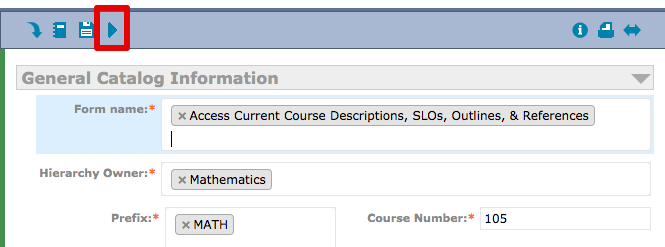
- A window will pop up confirming that you wish to launch the proposal. Click the Launch Proposal button.
- You will be able to scroll up and down the proposal and view the Course Description, Student Learning Outcomes, Course Content (in outline form), and important References.
- After 10 days, the form will be deleted from your Curriculog dashboard. If you need this information again, you will need to repeat this process.
For additional information or for help with this Curriculog process, please contact Andrea Skinner, Curriculum Coordinator and APDB Coordinator.

The graphical interface of Curriculog has been updated recently, so it might be time for updated screenshots. The steps still work. Thanks a lot for your help here writing this up for us, TLI.
Thanks for the heads up Scott! We’ll go in and get this updated accordingly.